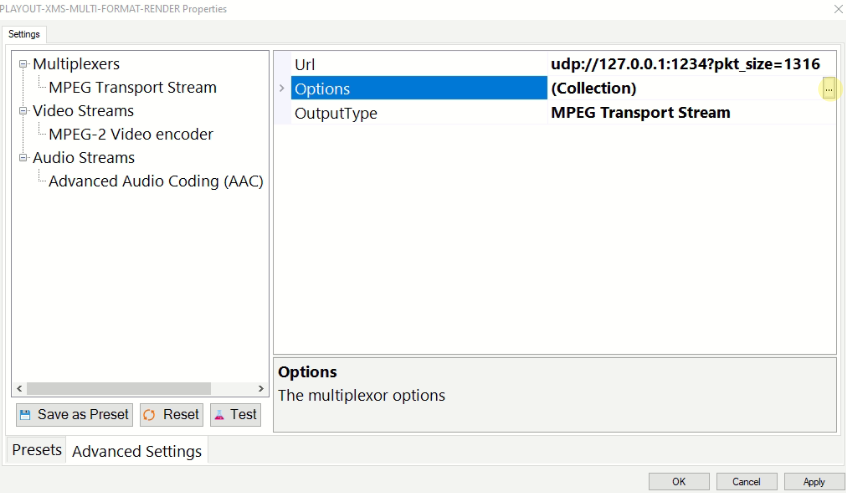
Advanced Settings for Multiformat Streaming
Depending on your needs you are able to choose between SRT or UDP Protocol. Some presets are implemented (social media like FaceBook, streaming platforms like YouTube & Twitch)
Select your preferred preset and from Advanced settings you may configure as follows:
Multiplexer Options
URL Field - Source/Destination should be pointed
MPEG DASH URL Advanced settings This URL relates to a path, where the MPEG DASH stream output will be recorded in .mpd playlist. You can change the path and the playlist name if you want. To do that just click on and enter the desired path\Filename.mpd
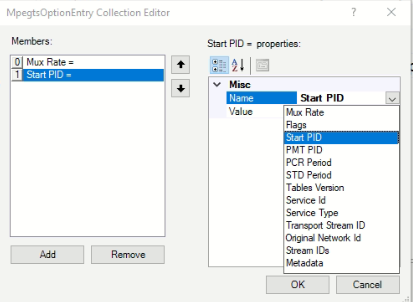
Options - In the property page you may Add as many multiplexor options as you want. Depending on your needs you may adjust additional settings such as:
MPEG TS: Start PID, PMT PID, Transport Stream ID and etc.
MPEG DASH: Segment duration, Remove at Exit and etc.
HLS: HLS Flags, HLS Time, HLS Allow Cache and etc.
FLV/RTMP: Render Timeout
Output Type - If you want to switch between the Outputs.
Example: If you want to switch between MPEG Transport Stream and HLS Stream additional settings, just change it from Output Type drop-down menu.
Video Streams
In this section you might configure additional settings for the related Video Encoders. Click on  to open the setup for Video Options
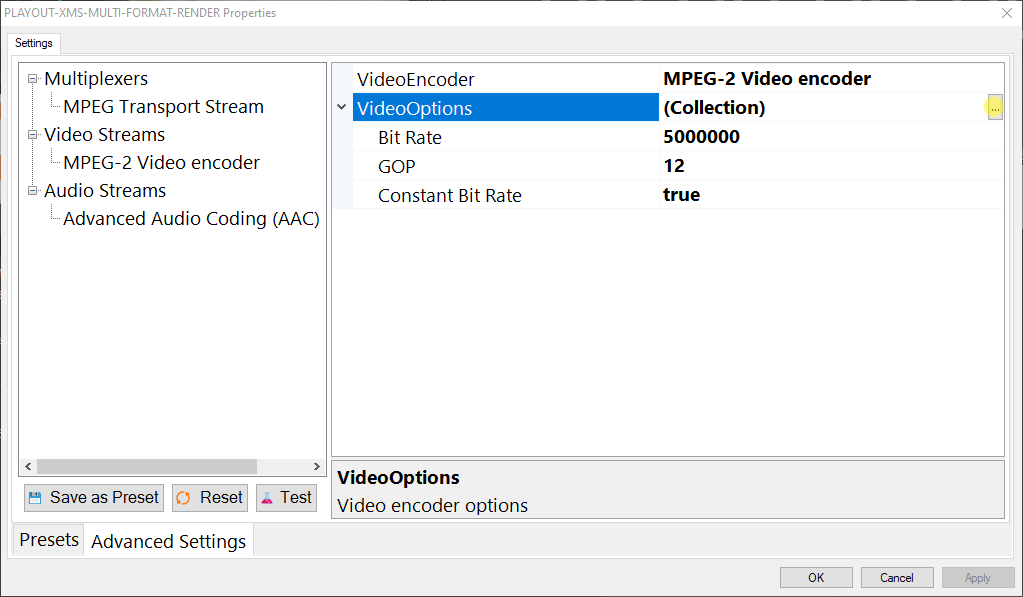
VideoEncoder - The VideoEncoder selection should be based on your HW.
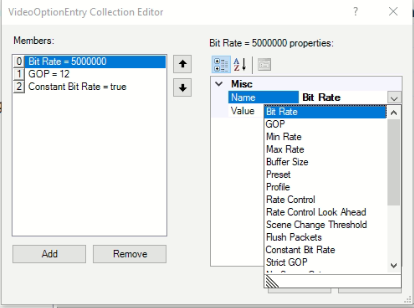
Options - In the property page you may Add as many VideoEncoder options as you want. Depending on your needs you may adjust additional settings such as BitRate, GOP and etc.
Audio Streams
AudioEncoder - You may select the Audio Encoder per your needs
Options - In the property page you may Add as many AudioEncoder options as you want. Depending on your needs you may adjust additional settings.
NOTE: When using FLV/RTMP Streaming output you may use PCM and AAC audio Encoder only.
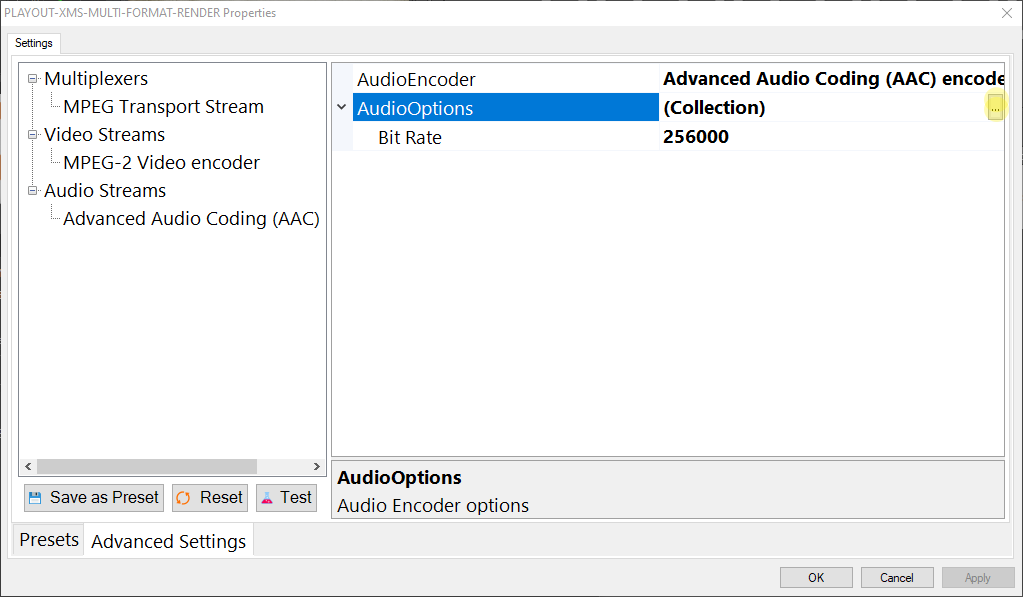
To save the current settings configuration click on OK.
If you need to apply any current changes and continue the configuration, click on Apply.
To prevent saving of the changes simply click on Cancel.